Docs You Can't Afford to Lose: Building an Offline Mirror of the Pages Your Systems Actually Run On
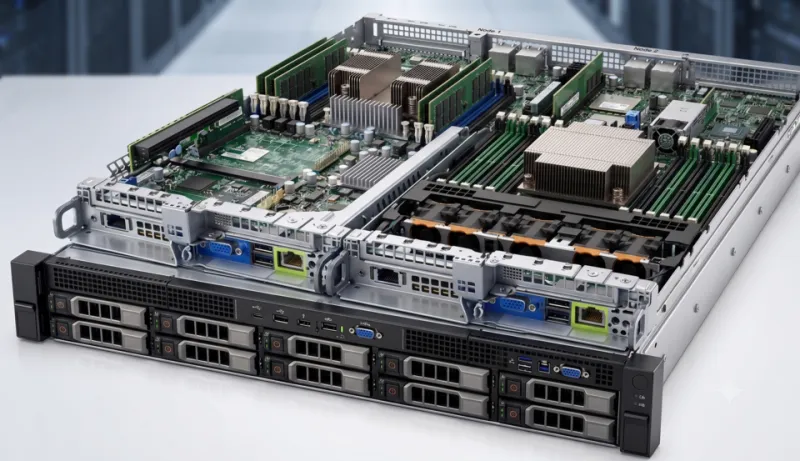
Photo: Mynameismael, CC0, via Wikimedia Commons
Every home lab has a short list of pages it cannot function without. The Arch Wiki entry on your NIC's quirky firmware. The Debian page explaining why apt held back a package. The one doc that tells you which kernel parameter keeps the laptop from suspending mid-rsync. You did not bookmark these because you are organized. You bookmarked them because something broke and you never wanted to feel that helpless again.
The problem is that documentation is infrastructure, and infrastructure has a bus factor. Wikis get reorganized. Pages get marked obsolete and redirected. Maintainers move on. Whole sites go read-only or disappear behind a login. The page you need at 2 a.m. during a migration is exactly the page most likely to be mid-rewrite.
So treat your docs like your backups: assume the upstream copy might not be there, and keep a local one that you have actually tested.
Start with an inventory, not a scraper
Do not begin by mirroring an entire wiki. That is slow, rude to the host, and produces a haystack. Begin with the pages your systems actually consult.
A quick pass through your shell history and browser bookmarks will surface most of them:
grep -hEo 'https?://[^ ]+' ~/.bash_history ~/.zsh_history 2>/dev/null \
  | sort -u > ~/docs-seeds.txt
Then add the links you keep pasting into chat, the ones in your runbook notes, and the ones sitting in ~/Documents/homelab-notes.md. Trim it down to a few dozen URLs. That list is your dependency map.
Group the seeds by system: hypervisor, NAS, router, the one Raspberry Pi running DNS. If a page only matters to a machine you retired two years ago, drop it.
Offline packages before scraping
A lot of distro documentation already ships as packages, and the packaged copy is usually cleaner than anything you will scrape. Search your package manager before you reach for a web mirror:
apt search wiki
dnf search docs
pacman -Ss wiki
Debian and Ubuntu users can pull packages like debian-handbook and various *-doc bundles. Arch users have arch-wiki-docs in the AUR, which packages wiki pages for local reading. Fedora has documentation packages for its own tooling. The names vary, so search rather than guess.
Also remember /usr/share/doc. It is boring, it is already installed, and it contains the upstream README for half the services on your box. When a config option confuses you six months from now, that local copy may be the only version that matches the package you actually have.
A wget invocation that does not get you blocked
For pages that only exist on the web, wget is the workhorse. The trick is to be surgical. Feed it your seed list instead of pointing it at a wiki root and letting it crawl:
wget \
  --page-requisites \
  --convert-links \
  --adjust-extension \
  --no-parent \
  --wait=1 \
  --limit-rate=500k \
  --user-agent='local-docs-mirror/1.0 (personal archive)' \
  --input-file=~/docs-seeds.txt \
  --directory-prefix=/srv/docs/wiki
--page-requisites grabs the CSS and images so pages render properly offline. --convert-links rewrites internal links to point at your local copies. --adjust-extension saves HTML as .html, which makes local browsing and search less confusing. The wait and rate limit keep you from behaving like a scraper bot.
If the wiki runs MediaWiki, you can also use Special:Export to pull the raw wikitext for a page. That is handy for archiving the source rather than the rendered HTML:
curl -o ~/docs/wiki-page.xml \
  'https://wiki.example.org/wiki/Special:Export/Some_Page'
For static docs trees, rsync over HTTPS or SSH is often better than wget. Check whether the project publishes a mirror or a tarball first. A tarball is a gift.
Make the mirror searchable
A pile of HTML you cannot search is just a pile of HTML. Two cheap tools fix that.
ripgrep handles the raw text search:
rg -i 'firmware|iwlwifi' /srv/docs/wiki --glob '*.html'
A text browser handles the reading. lynx and w3m open local HTML without a GUI, which is exactly what you want when you are on a rescue console or SSHed into a box with no desktop:
lynx /srv/docs/wiki/wiki.example.org/some/page.html
If you want something friendlier, run a tiny static server on localhost only and browse it from your laptop. Just do not expose the mirror to the internet. This is an archive, not a republishing project.
Put the refresh on a timer
A mirror you forget about rots. Set a quarterly refresh and let systemd do the remembering. A user-level timer is enough:
# ~/.config/systemd/user/docs-refresh.service
[Unit]
Description=Refresh local documentation mirror

[Service]
Type=oneshot
ExecStart=/usr/local/bin/docs-refresh.sh
# ~/.config/systemd/user/docs-refresh.timer
[Unit]
Description=Quarterly docs mirror refresh

[Timer]
OnCalendar=*-01,04,07,10-01 03:00
Persistent=true

[Install]
WantedBy=timers.target
Enable it with systemctl --user enable --now docs-refresh.timer. Keep the refresh script simple: re-read the seed list, rerun wget, and log the list of pages that came back 404. A page disappearing upstream is useful information. It tells you a doc is being retired before you discover it in the middle of a rebuild.
One caution: wikis change structure. If a page moves, your seed list goes stale quietly. Every few months, open the log and confirm the important pages are still resolving.
Test it like you mean it
An untested mirror is a hopeful mirror. Once a quarter, pick a random page from the archive and open it with networking turned off. If images are broken, links point at https:// instead of local files, or the page is an unstyled mess, fix the wget flags before you need the archive for real.
A more honest test: next time you reach for a wiki page during a routine fix, try the local copy first. You will learn quickly which pages actually matter and which ones you archived out of anxiety.
Be a good citizen
Before you mirror anything, check the site's robots.txt and its license. Many distro wikis are under CC BY-SA or the GFDL, which generally allows personal copies with attribution but has opinions about redistribution. Keep the copyright notice intact. Do not put the mirror on a public URL. Do not hammer a volunteer-run server with a full crawl because you are worried about a rainy day.
The goal is not to clone the internet. It is to make sure that when your package manager breaks at an inconvenient hour, the explanation is already on your disk, in a format you can search, on a machine you control. That is the whole point of a home lab: fewer dependencies on things you cannot fix.