Your Basement Is the New Cloud: Building a Family Server on a $500 Budget
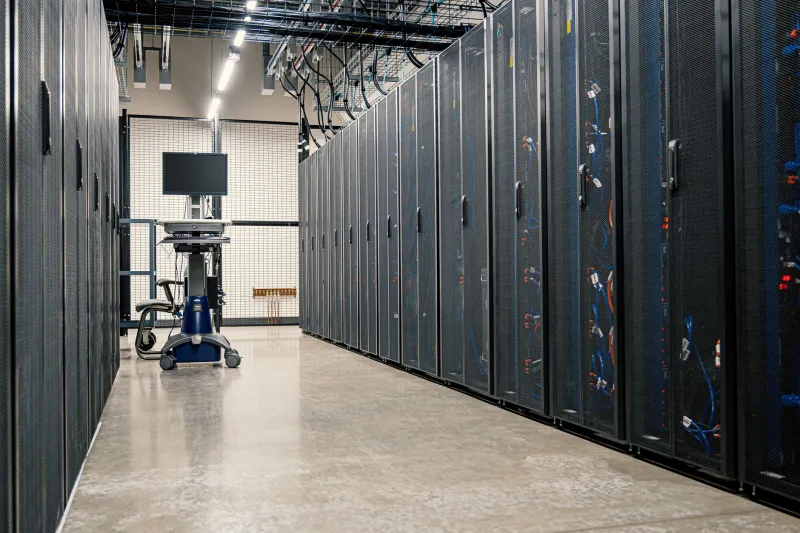
Somewhere between the third Netflix price hike and the second 'your cloud storage is full' email, a quiet rebellion started brewing in American garages, basements, and spare closets. Call it the home lab movement, call it self-hosting's second act — whatever you name it, the idea is simple: stop renting your digital life back from big tech and run it yourself.
And honestly? There's never been a better time to try.
Why Now?
A few things converged. Used enterprise gear got cheap — retired Dell and HP towers show up on eBay and Facebook Marketplace for the price of a nice dinner. The software got dramatically friendlier: projects like Jellyfin, Nextcloud, and Immich have polished interfaces that rival anything a subscription service offers. And a wave of folks simply got tired of companies changing terms, raising prices, or shuttering products overnight.
'I canceled two cloud subscriptions and a NAS rental plan the month my server went live,' says Marcus, a hobbyist in Ohio who runs a Debian box for his family of four. 'It paid for itself in about a year.'
The Hardware: Under $500, No Compromises
You don't need a rack. You need a quiet box with room for drives. A few community-approved paths:
- The used office desktop route (~$250-350): A retired Dell OptiPlex or HP EliteDesk with an 8th-gen Intel CPU, 16GB of RAM, and a couple of drive bays. Add two 4TB NAS drives (~$80 each on sale) and you're rolling.
- The mini PC route (~$300): Something like a Beelink or Minisforum unit sips power — great if your server lives near the living room. You'll need USB or a small external enclosure for bulk storage.
- The DIY build (~$450): A Fractal Node 304 or similar case, an Intel N100 board, 16GB of RAM, and two drives. The N100 is the current darling of the home lab scene: cool, quiet, and it transcodes media without breaking a sweat.
Whatever you pick, follow the golden rule of home storage: two copies of everything that matters. One drive holds the data; the second mirrors it. A third copy offsite (a drive at a relative's house, or encrypted cloud backup) is the cherry on top.
Choosing Your OS: Debian vs. TrueNAS
This is the classic fork in the road, and the community splits roughly down the middle.
Debian is the tinkerer's choice. It's rock-solid, runs everything, and teaches you Linux along the way. Install it, add Docker, and suddenly you can spin up Jellyfin, Nextcloud, Pi-hole, and Home Assistant with a few YAML files. If you like learning and want maximum flexibility, this is your path.
TrueNAS (SCALE) is the appliance route. Built on ZFS, it handles snapshots, checksumming, and drive failure with remarkable grace. The web interface means you spend less time in a terminal and more time using your server. If your goal is 'family storage that just works,' TrueNAS is hard to beat.
Either way, you end up with the same destination — you just pick the scenery.
The Stack: What People Actually Run
Poll any home lab forum and the same names come up again and again:
- Jellyfin — stream your movie and music collection to any device in the house. It's the open-source answer to 'why am I paying four streaming services?'
- Nextcloud — file sync, calendar, contacts, and photos for the whole family. Goodbye, Google Drive.
- Immich — the Google Photos replacement that made everyone do a double-take. Self-hosted, fast, and genuinely beautiful.
- Pi-hole — network-wide ad blocking. Install it first; thank yourself later.
- Home Assistant — the automation hub that makes your smart home actually smart, without phoning home to a corporation.
Start with one or two. The rabbit hole is deep, and it's more fun when you ease in.
A Realistic Weekend Plan
Saturday morning: Flash your OS to a USB stick, boot the box, follow the installer. Saturday afternoon: Set up storage pools or RAID, create user accounts for the family. Sunday: Install Docker (on Debian) or apps (on TrueNAS), get Jellyfin running, load up a movie, and stream it to the TV. When it works — and it will — there's a specific kind of satisfaction in knowing you built that.
The Honest Downsides
Let's not sugarcoat it. You're now the IT department. Drives fail, updates occasionally break things, and you'll spend an evening troubleshooting something a subscription service would've handled invisibly. Backups aren't optional — they're the whole ballgame.
But for a growing number of American tinkerers, that trade is worth it. Your photos live on hardware you own. Your media library can't be yanked from a catalog. And every time the family streams a movie from that humming box in the basement, you get a small, private victory.
The cloud was supposed to be the future. Turns out, for a lot of us, the future has a power button and lives in the basement.
